Cookie banner generator
Use our cookie banner generator to add a GDPR & CCPA compliant consent banner to your website or app. Customize your banner’s design, install it on your website and leave the consent management process to us.


Get setup in 5 minutes. No-coding skills required. 100% money back guarantee.
GetTerms is a Google certified CMP partner. We support Consent Mode V2 across both basic and advanced implementations, and ensure full compliance with Google’s EU User Consent Policy.


500K+ customers protected and saving thousands in legal fees
Enterprise-grade consent orchestration
Helping you meet the requirements of major privacy laws and industry best practices for data transparency and user experience.
Automatic Cookie Scanning
Detects and categorizes cookies and trackers currently running on your site.
Cookie Auto-Blocking
Prevents scripts from running until a user has explicitly provided consent.
User-Consent Logging
Maintains an audit trail of user choices to demonstrate compliance to regulators.
Geo-Tagging
Show the appropriate banner by location - GDPR for EU users and CCPA for Californians
Google Consent Mode v2
GetTerms is a certified Google CMP Partner with complete Google consent mode v2.
Multi-Lingual Support
Enable auto-language detection to dynamically display your cookie banner in 7+ languages.
Customizable Banner
Use an intuitive banner designer to customize your banners styling, appearance and behavior.
Unlimited Banner Views
No banner view limits means protection year round on high-traffic sites
What will your cookie banner include?
Don’t get caught out by missing compliance features. There are clear requirements set by privacy laws that your cookie banner needs to meet!
Generate a GDPR & CCPA compliant cookie banner
The ePrivacy Directive requires prior informed consent before setting non-essential cookies. The GDPR requires that consent be freely given, specific, and unambiguous, with an equally accessible reject option. GetTerms is set up to handle all of these requirements out of the box, with auto-cookie blocking, granular purpose-based consent controls, and a reject-all button.
Use our site ready cookie banner templates to quickly deploy a consent experience that complies with everything from the GDPR to all U.S. laws and built ready for Google’s EU User Consent Policy.
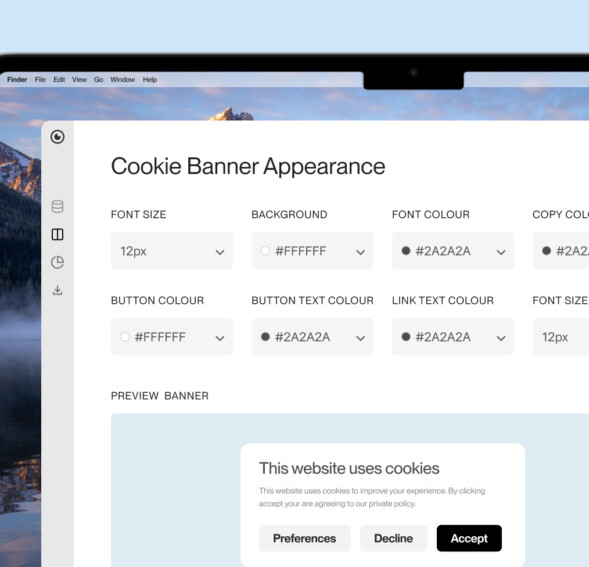
Our easy banner customization tool gives you control over your consent banner’s aesthetic with modern banner templates exclusive our platform. More customization, less compromise. See your changes happening live with the banner preview, match your brands colors and set element visibility, layout, and positioning across every notice type with a live preview to
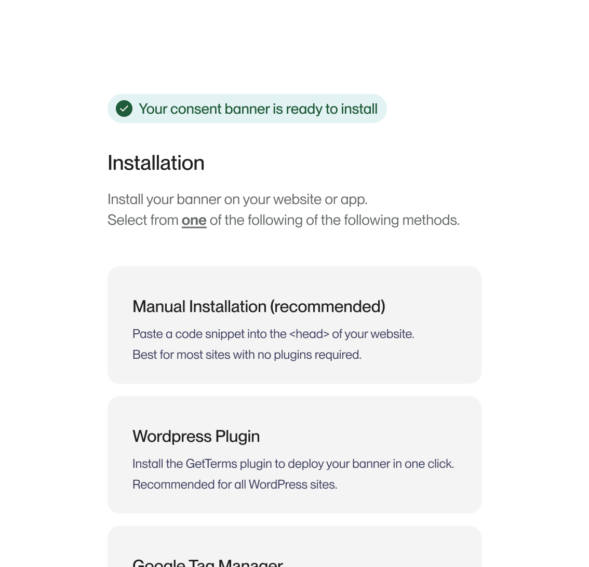
Install your banner in minutes with no coding required. While you’re configuring your consent banner’s design, our scanner is already finding and categorizing your site’s cookies and listing them on your privacy controls. No need to be a compliance expert either, our default regional settings cover GDPR, CCPA, UK, Canada, and Australia out of the box, so it’s set and forget.
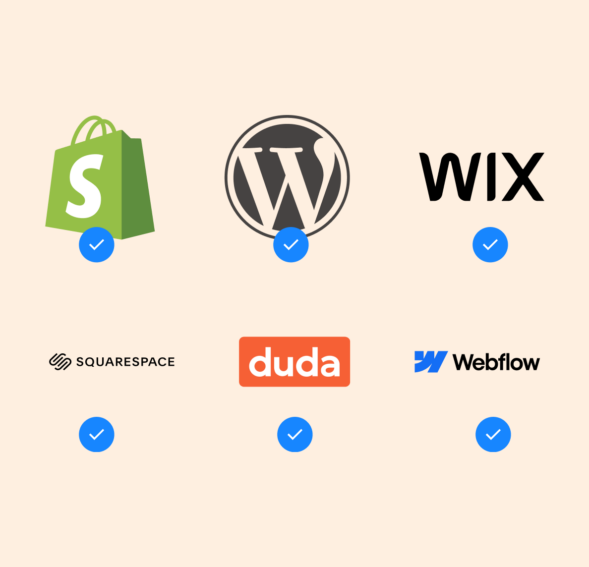
Whether you’re on WordPress, Shopify, Squarespace, Wix, Duda, or a custom-built site, add your embed code and GetTerms works out of the box. Google Tag Manager and other tag management systems supported too.
GetTerms loads fast, so your page renders fast. Aggressive caching and Cloudflare integration keep delivery fast across every region. Our banner won’t touch your Core Web Vitals or PageSpeed score. It’s built for high-traffic sites with no banner view limits and 99.9% up-time.

The ePrivacy Directive requires prior informed consent before setting non-essential cookies. The GDPR requires that consent be freely given, specific, and unambiguous, with an equally accessible reject option. GetTerms is set up to handle all of these requirements out of the box, with auto-cookie blocking, granular purpose-based consent controls, and a reject-all button.
Use our site ready cookie banner templates to quickly deploy a consent experience that complies with everything from the GDPR to all U.S. laws and built ready for Google’s EU User Consent Policy.
Our easy banner customization tool gives you control over your consent banner’s aesthetic with modern banner templates exclusive our platform. More customization, less compromise. See your changes happening live with the banner preview, match your brands colors and set element visibility, layout, and positioning across every notice type with a live preview to
Install your banner in minutes with no coding required. While you’re configuring your consent banner’s design, our scanner is already finding and categorizing your site’s cookies and listing them on your privacy controls. No need to be a compliance expert either, our default regional settings cover GDPR, CCPA, UK, Canada, and Australia out of the box, so it’s set and forget.
Whether you’re on WordPress, Shopify, Squarespace, Wix, Duda, or a custom-built site, add your embed code and GetTerms works out of the box. Google Tag Manager and other tag management systems supported too.
GetTerms loads fast, so your page renders fast. Aggressive caching and Cloudflare integration keep delivery fast across every region. Our banner won’t touch your Core Web Vitals or PageSpeed score. It’s built for high-traffic sites with no banner view limits and 99.9% up-time.
Integrated CMP & policy generator
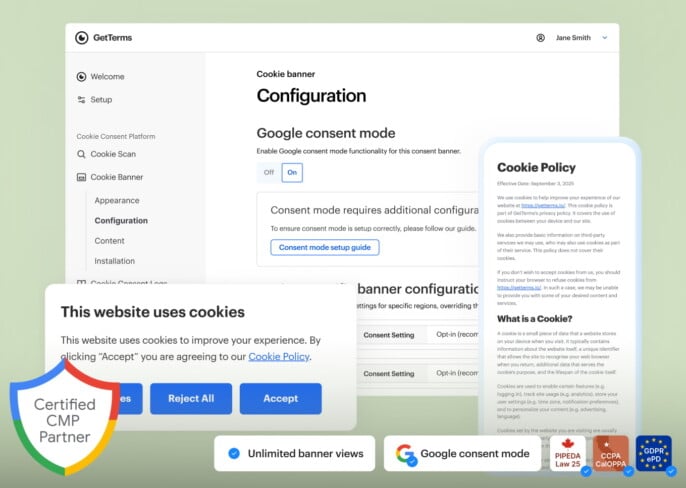
Global compliance coverage
Meet the requirements of the toughest privacy laws

- EU (GDPR & ePrivacy Directive)
- UK (GDPR & PECR)
- California (CCPA/CPRA)
- Australia (Australian Privacy Act)
- Canada (PIPEDA)
- Quebec (Law 25)
- Switzerland (FADP)
- South Africa (POPIA)
- China (PIPL)
- Singapore (PDPA)
- Japan (APPI)
- South Korea (PIPA)
- India (PDPB)
- Brazil (LGPD)
- and more
Compliance sorted for an unbeatable price.
on TrustpilotConsent management, cookie banner, privacy policy and more. Ready for your website in under 5 minutes.
Starter
Get started with your compliance
Key Features:
Polices:
- Comprehensive Privacy Policy
- Cookie Policy
Cookie consent:
- User Consent Logs
- 50,000/mo Banner Views
- HTML Policy Embeds
- WordPress Plugin
- Geotargeting
General:
- 100% Money Back Guarantee
- Cookie Policy
Business
Most PopularCover all of your compliance needs
Get all the features:
Polices:
- All Legal Policies
- Unlimited Policy Edits
Cookie consent:
- User Consent Logs
- Unlimited Banner Views
- Customizable Cookie Banner
- HTML Policy Embeds
- Regulation Monitoring
- Geotargeting
- WordPress Plugin
- Multi-language Support
- Auto-language detection
General:
- 100% Money Back Guarantee
- Unlimited Policy Edits
All the features of Business and:
Polices:
- Policy Templates
- Multi-user Logins
Cookie consent:
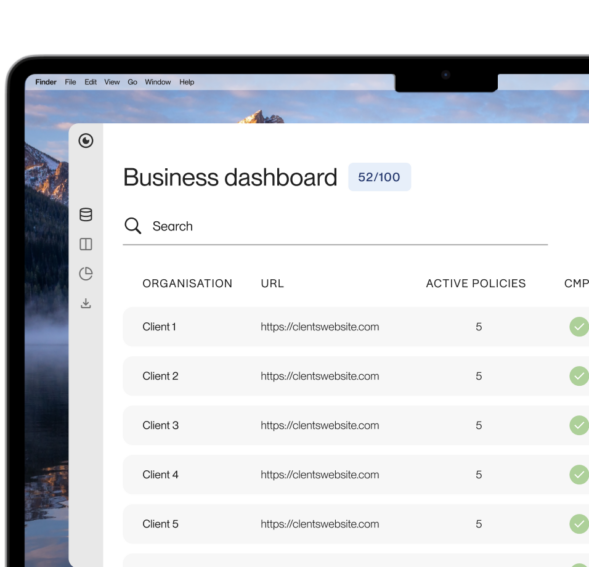
- Client Management
- Unlimited Banner Views
General:
- 100% Money Back Guarantee
- Generous Volume Discounts
- Priority Support
How to create a cookie banner with GetTerms
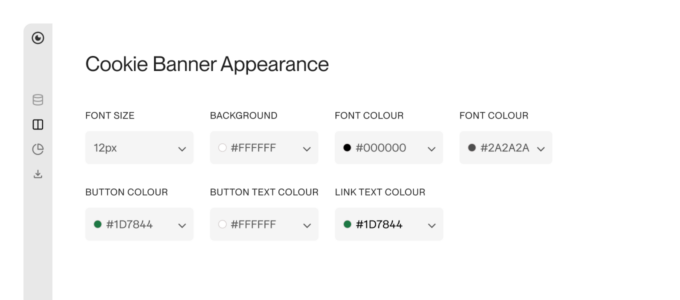
Style your cookie banner
Design your consent banner to match your brand without touching code. Choose from card, banner, pill, or popup layouts, then fine-tune fonts, backgrounds, buttons, and link text to fit your site's look exactly.
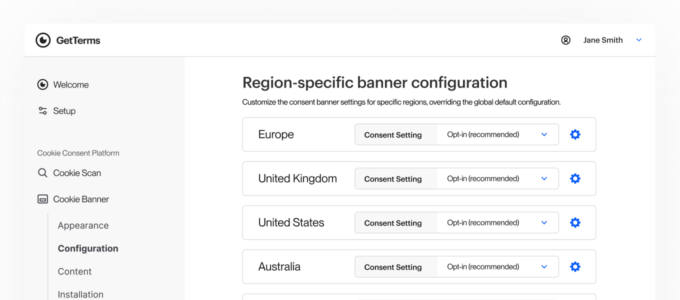
Set your banner settings per-region
Different jurisdictions, different rules. Configure consent behavior independently per region, enabling granular consent, reject-all options, auto-cookie blocking, and Google Consent Mode where each local regulation requires it.
Install your banner
Install your cookie banner with our WordPress plugin or a embed. No code understanding required. No pesky CMS incompatibilities. Straight forward and simple, as all things should be!
"I tried GetTerms and haven't looked back. It's been great for me and my clients."
FAQs
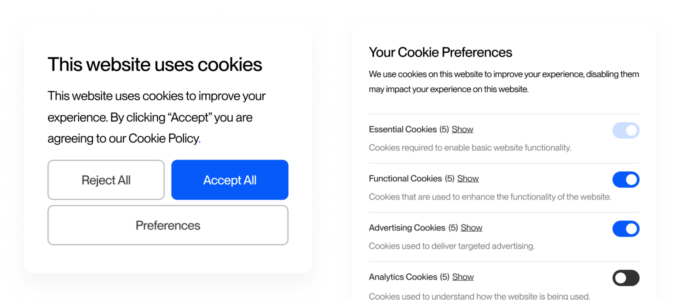
A consent banner (commonly referred to as a cookie banner or cookie notice) is a banner that pops up on a website to inform visitors about the site’s use of cookies and trackers. Its purpose is to provide information on the business’s data processing practices (often specifically around cookies), and to ask each user for their consent to set cookies in their browser, along with a consent mechanism that they can interact with to either grant or deny the use of cookies.
A consent banner will also include cookie-blocking functionality, with cookie blocking behavior depending on whether the regulation specifies opt-in or opt-out consent.
- If the laws require opt-in consent, the banner will block cookies and trackers until consent is granted.
- If the laws allow opt-out consent, the banner will first allow cookies, but will block them if the user withdraws consent at any time.
Yes! Our cookie banner was designed to easily meet the requirements of the GDPR, ePrivacy directives and PECR. It ensures all user consent is valid in accordance with the GDPR We also comply with other global privacy regulations.
Yes, our cookie banner was designed to easily meet the requirements of the CCPA. The CCPA requires “notice at collection” which our banner provides when your users land on your site. Our cookie banner is the most effective way to provide required information about your data processing activities and allows your users to opt out of cookies used for targeted advertising for compliance with “Do Not Sell or Share My Personal Information” requirements.
Yes, but not explicitly, let us explain why. While “Cookie banners” aren’t specifically referred to by the CCPA, the functionality they provide, is. The CCPA requires “notice at collection” when personal information is collected. Since cookies collect personal data immediately upon site visit, you need to provide instant notice and an opt-out mechanism – provided by a cookie banner.
While you can use footer links instead, cookie banners are the most effective way to provide required transparency and “Do Not Sell or Share My Personal Information” opt-out options at the moment of data collection.
Yes! Our banner supports multiple languages, including english, German (Duetsch), Spanish (Español), French (Français), and Hindi.
Yes! You can update the content of your banner to whatever you like, and even add a custom language if you need it.
Yes! You can install our cookie banner on any website with the same main domains.
Yes, GetTerms provides a valid user consent mechanism that ensures your user’s consent is freely given, specific to the activity, informed through clear communication, and unambiguous, and shown through clear affirmative action like checking a box or clicking a button. Our banners include mechanisms for opt-in/opt-out consent options, detailed preference settings, and a consent management platform that tracks each users consent to allow easy withdrawal.
This makes our consent banner compliant with the GDPR, CCPA and other tougher privacy compliance regulations around the world.
A cookie banner typically appears when a user visits a website for the first time, explaining the types of cookies active on the website and allowing the user to accept or reject them (This is called obtaining informed consent – A requirement in both the EU and USA).
Once the user makes a choice, the website remembers their preferences.
Yes, GetTerms is a consent management platform (CMP). Our platform helps businesses collect, manage, and store user consent for data processing, supporting compliance with regulations like GDPR and CCPA. We have all the features you need for managing consent such as customizable cookie banners, consent logging, a dashboard for managing consent, and tools for generating privacy policies and other legal documents.
Yes, GetTerms has a dedicated cookie consent management plugin for WordPress. Our plugin lets users easily add GDPR- and CCPA-compliant cookie banners to their WordPress websites and automates the integration of consent widgets and compliance policies.
Absolutely not. GetTerms can easily be set up in just a few minutes on any website without any coding understanding.
Not at all! GetTerms is built uses aggressive caching and a robust code base to keep website speeds unaffected by our banners functionality.
Yes! We have a 30 day money back guarantee. That means if you are not fully satisfied with GetTerms within 30 days, we’ll give you 100% of your money back!
Yes, GetTerms is fully integrated with Google Consent Mode v2. Our platform provides comprehensive support for Google’s consent management framework, allowing our customers websites to communicate user consent preferences to Google’s tags and services while maintaining compliance with privacy regulations.
If your website uses cookies and has visitors from regions with strict privacy laws (like the GDPR in the EU, and the CCPA in California), then yes, you are legally required to have a cookie banner. Either way, it’s worth having a cookie banner for peace of mind. It also tells your customers that your respect their privacy.
Yes, there can be significant fines for non-compliance, especially under laws like GDPR. Fines can range from thousands to millions of dollars. Under the GDPR the maximum fine for using cookies without a user’s consent is €20 million or 4% of your business’s annual worldwide turnover of the preceding financial year, whichever is greater.
With GetTerms, generating a cookie banner for your website or app takes only 5 minutes. Our streamlined process allows you to quickly build it and add it to your site.
The European Union (under GDPR), the UK (Under the UK GDPR), and some US states (like California under CCPA) require cookie consent. Many other countries are adopting similar laws, so eventually you can expect this to be a global requirement.
It should explain what cookies are used for, provide options to accept or reject cookies, link to a detailed cookie policy, and allow users to easily change or withdraw their cookie preferences at any time.
Yes, your Google Analytics 4 property will be affected if users don’t consent to analytics cookies. While Google analytics 4 is designed to work ‘cookieless’ – it still uses 1st party cookies, it’s just 3rd party cookies that it no longer uses.
Basically, when a user says no to cookies, GA4 still collects some basic data, but it’s anonymous. GA4 can see things like what type of device was used and screen size, but it won’t collect information that could be used to identify the specific user (This is called personal data).
If users deny cookies, GA4 won’t set or use any cookies on the user’s device. Without cookies, you’ll get some general information about their visit, but you won’t be able to track anything tied to that person, like whether they return later, their journey around your site (referring pages), or their geolocation. If you’ve set up custom data fields, GA4 will still collect that info. But remember, it’s not linked to a specific user.
Google uses all of the above limited data to make educated guesses (called modelling) about user behavior and conversions. This helps you get a general picture of your site’s performance, even when some users don’t accept cookies.